Your account and language
The account menu at the bottom of the sidebar — switching the interface language, moving between workspaces, and signing out.
Everything else in this section belongs to the workspace. This page is the one thing that belongs to you: the menu with your name on it, at the very bottom of the sidebar.
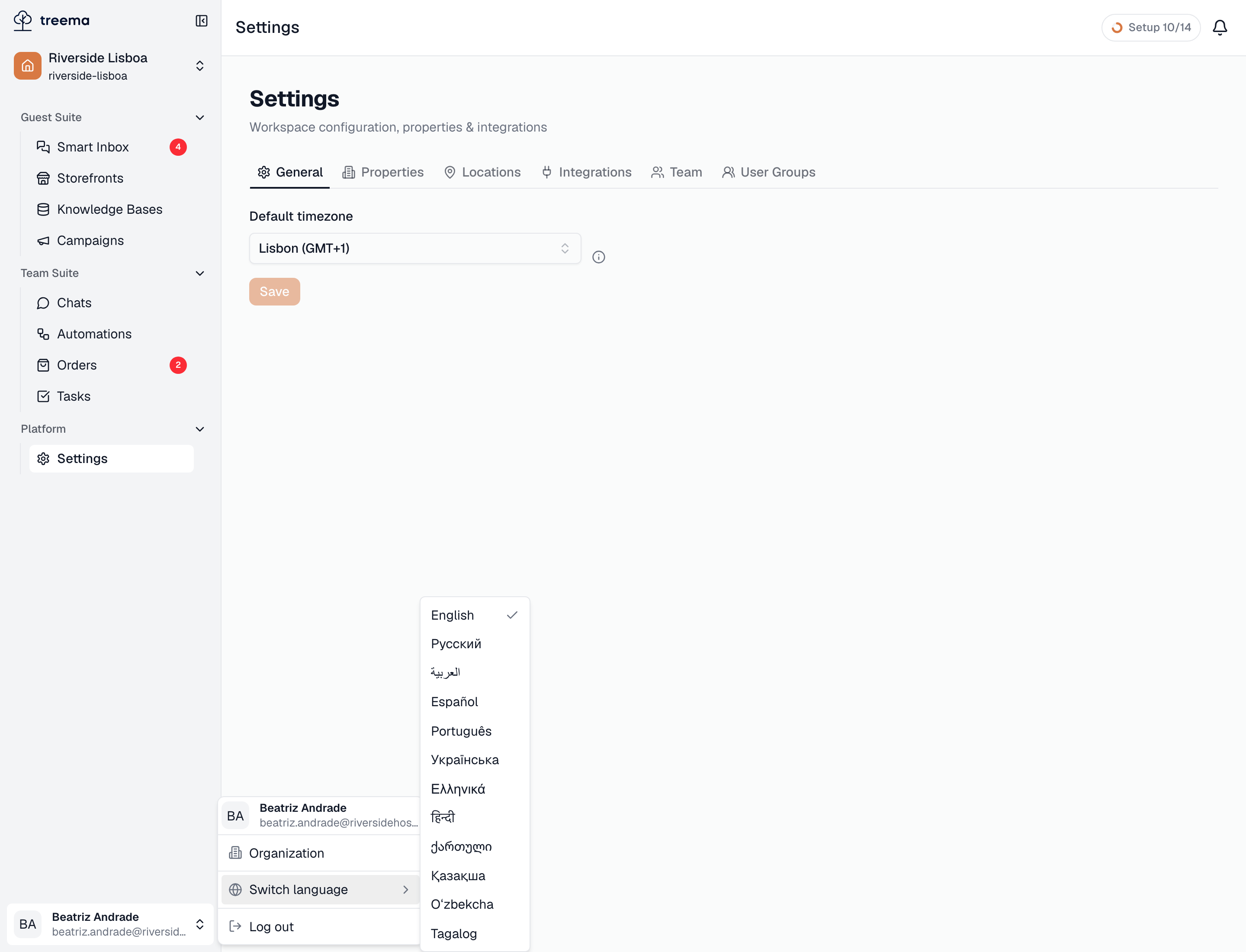
- 1
- Every language the interface is available in
Click your name and the menu opens with your name and the email you sign in with at the top, then:
| Organization / Workspaces | Takes you out of this workspace — to the organization if you run one, to the workspace list otherwise. |
| Switch language | The interface language. See below. |
| Log out | Signs you out on this computer. |
Changing the language
Hover Switch language and the list opens with a tick beside the one you are using. Choosing another changes the interface immediately — the menus, the buttons, the labels, the dates.
Three things worth knowing about it:
- It is yours, not the workspace's. Your colleague on the next floor can run the same workspace in another language, and you will both read the same task correctly.
- It follows your account, not this computer. Sign in from another browser, or on your phone, and your language is already set.
- It does not translate what people typed. A task titled in Portuguese stays in Portuguese whichever language you read the buttons in. The same is true of channel names, tags, service descriptions and guest messages — the interface is translated, the content is not.
A storefront's language is a different setting
The language a guest sees on your storefront is chosen per storefront, in its own settings — see Publishing. Changing your own language here does not change what guests read.
Signing out
Log out ends the session on this computer only — phones and other browsers stay signed in. If you are handing a shared computer to the next shift, this is the thing to press.