Messages
What you can do to a message — react, reply, thread, pin, edit, delete — plus files, voice notes and the tasks a message can become.
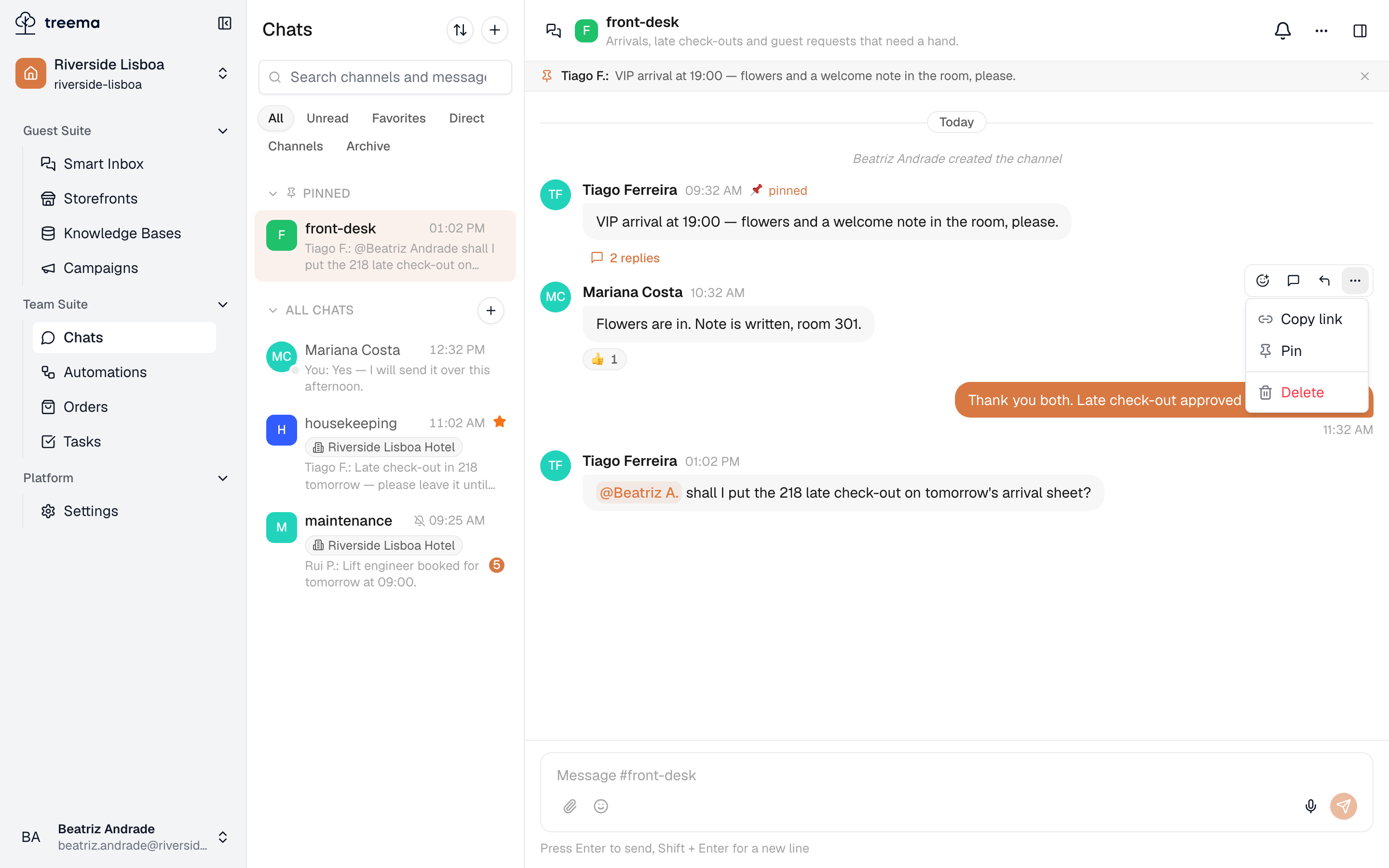
A message is more than its text. Hover one and the toolbar above it is the whole of this page in miniature.
- 1
- 2
- React, reply in a thread, quote — the three fast answers
- Everything else the message can do
The three fast answers
- React — a face, a tick, a pair of eyes. Nothing is written, everyone can see it was read, and the channel stays short. Press an existing reaction to add yours to it.
- Reply in thread — the answer and everything it leads to hang off that one message.
- Reply — quotes the message above your own, in the flow of the channel.
Threads
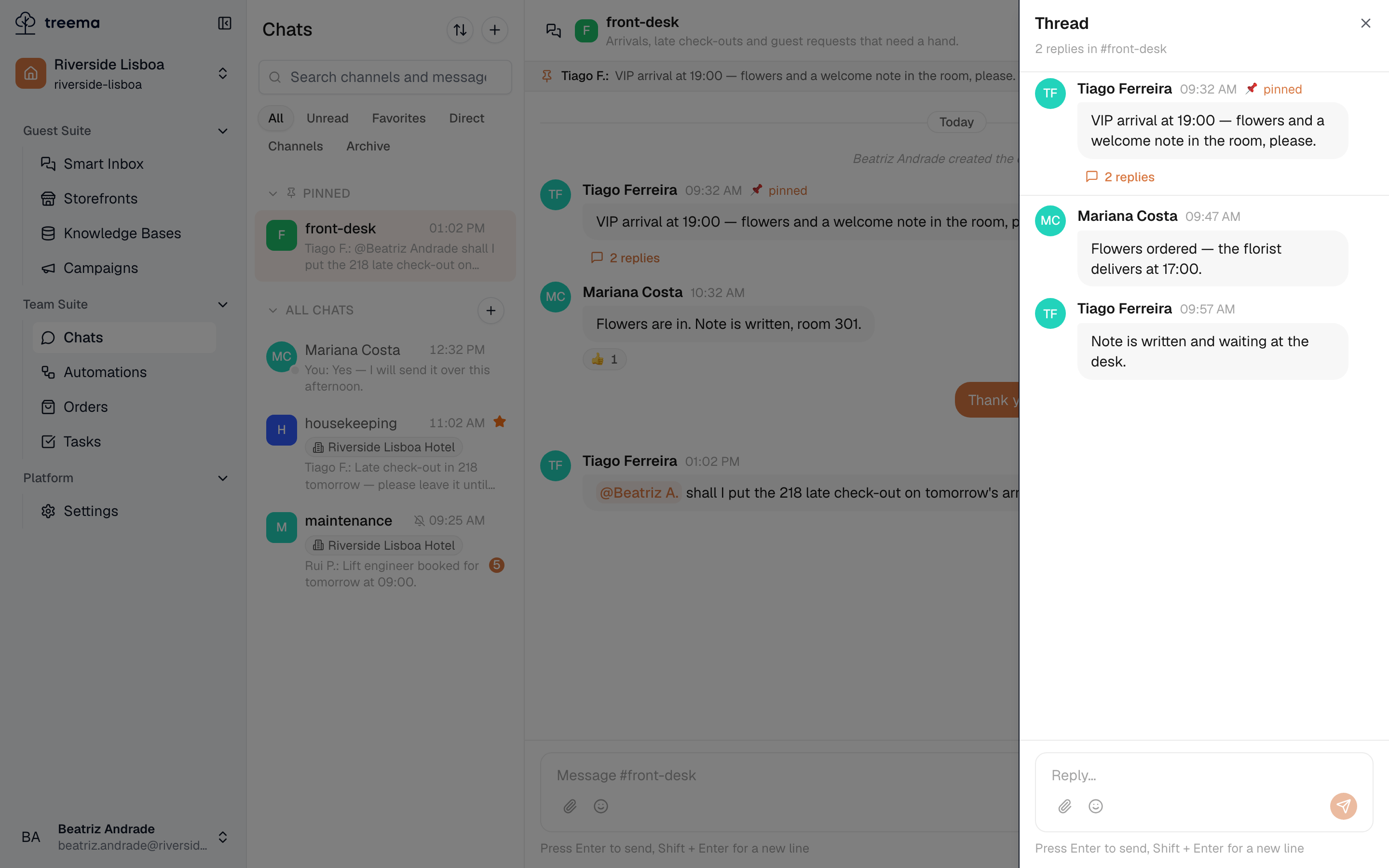
A thread is a discussion between members attached to one message. The parent keeps a replies counter under it; pressing that opens the thread beside the channel, with the original at the top.
- 1
- The message that started it, its replies, and a box for one more
Use one when an answer will need answers of its own — a decision, a diagnosis, an argument about which supplier. The channel keeps moving for everyone who isn't involved, and the person who started the thread is told when somebody replies to it.
Pinning
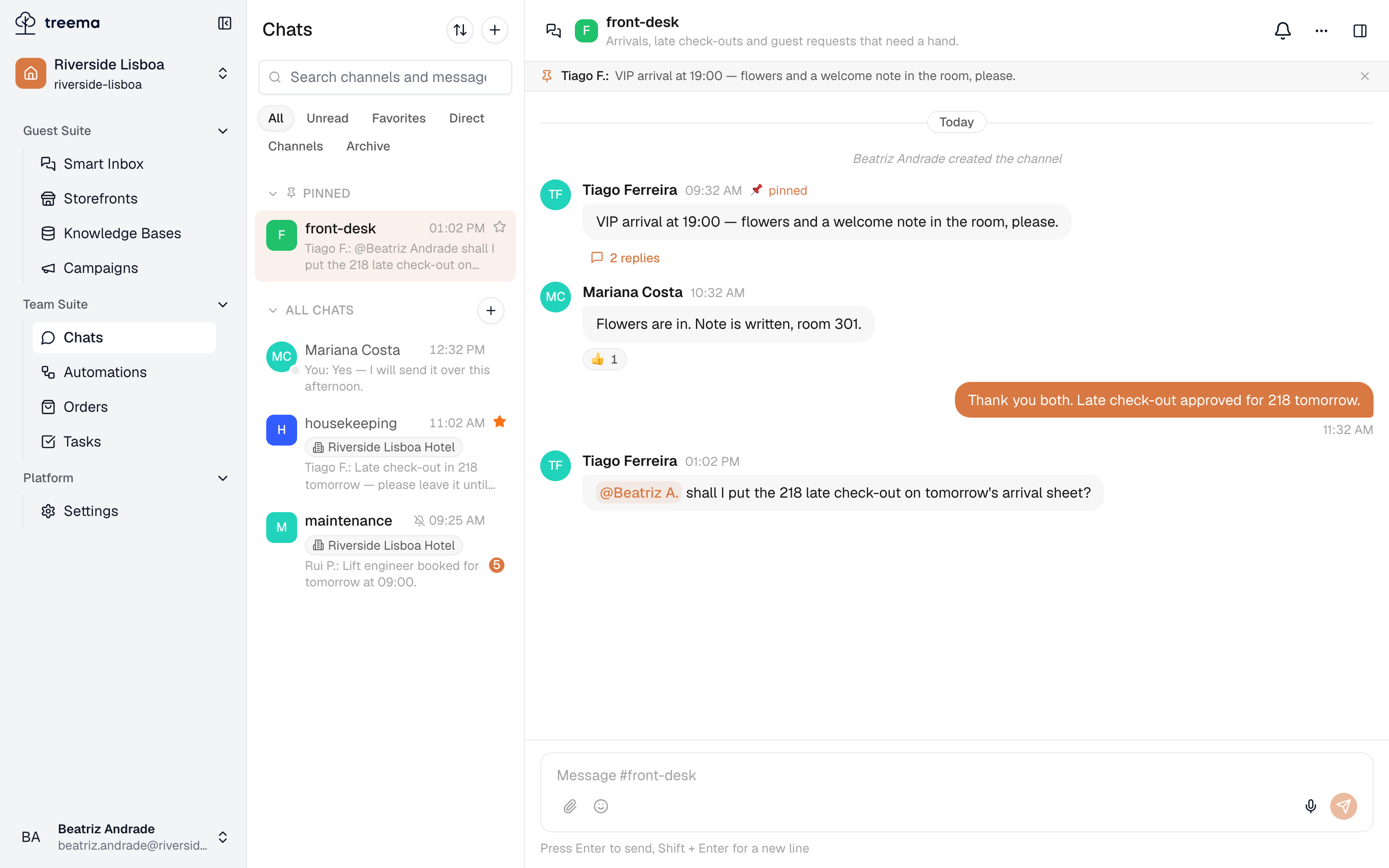
Any member can pin a message. Pinned messages sit in a bar across the top of the channel, and pressing one jumps the thread to it.
- 1
- Pinned to the top of the channel for everyone in it
A channel can hold up to five pinned messages. Use pins for the most important information: the door code, today's arrivals, or the rules people keep asking about.
Unpin a message from the same menu, or from the × on the pinned messages bar.
Editing and deleting
- You can edit or delete your own message for one hour after sending it. An edited message is marked as such — nobody discovers a sentence has quietly changed.
- After that hour it stands. Write a correction underneath instead.
- A voice message can't be edited, only deleted.
- Whoever holds Manages channels for Chats can delete anybody's message, without a time limit — for the photograph posted in the wrong channel, not for editing history.
Deleting is permanent and it removes the message for everybody, which is what the confirmation asks you to be sure about.
Files, images and voice notes
The paperclip attaches up to five files to one message, up to 50 MB each. Images appear in the thread and open full-size when clicked; everything else arrives as a file with its size, ready to download.
The microphone records a voice message — quicker than typing when you are holding a linen cart.
Voice messages can also be written out automatically, with the text under the player, so a colleague in a quiet corridor (or one skimming a busy channel) can read what you said instead of listening to it. That is switched on per workspace — ask us at support@treema.ai if you want it and don't have it.
Mentions
Typing @ and a few letters of a name offers the people in this conversation. The name is highlighted in the message that arrives, and the person is notified whatever else they have muted.
Mentions are how you turn a broadcast into a request. "Someone should call the guest back" is a sentence anybody can ignore; the same sentence with a name in it is a job.
Turning a message into a task
Some messages describe work rather than news — a broken tap, a request for extra towels. Where a workspace has task suggestions switched on, a card appears under such a message proposing a task, with a title already filled in.
Press Create to open the task form with its fields already filled in. Check the details and save the task. If no task is needed, press Dismiss. Once created, the message shows a link to the task, so the conversation and the task stay connected. For more on working with tasks, see Tasks.
You can always make a task by hand instead, from Tasks; the suggestion only saves the typing.
Reading a long channel
- Days are separated by a labelled line — Today, Yesterday, then the date.
- New messages marks where you stopped reading.
- Jump to latest appears when you've scrolled up, and Load older messages goes further back.
- Copy link on any message gives you a link straight to it — the way to point a colleague at one line rather than pasting it into three other channels.
Joining, leaving and being added are written into the channel as short grey lines, so a conversation that suddenly changes tone has an explanation in it.