Direct messages
Writing to one person — finding them in the member list, what the presence dot means, and how a direct message differs from a channel.
A direct message is a conversation between you and one other person in the workspace. There is nothing to name, nobody to add, and no permission to ask for: anyone can write to anyone.
Starting one
The + beside the All chats heading in the list opens Workspace members — or the one beside Direct messages, if your list is split into channels and direct messages.
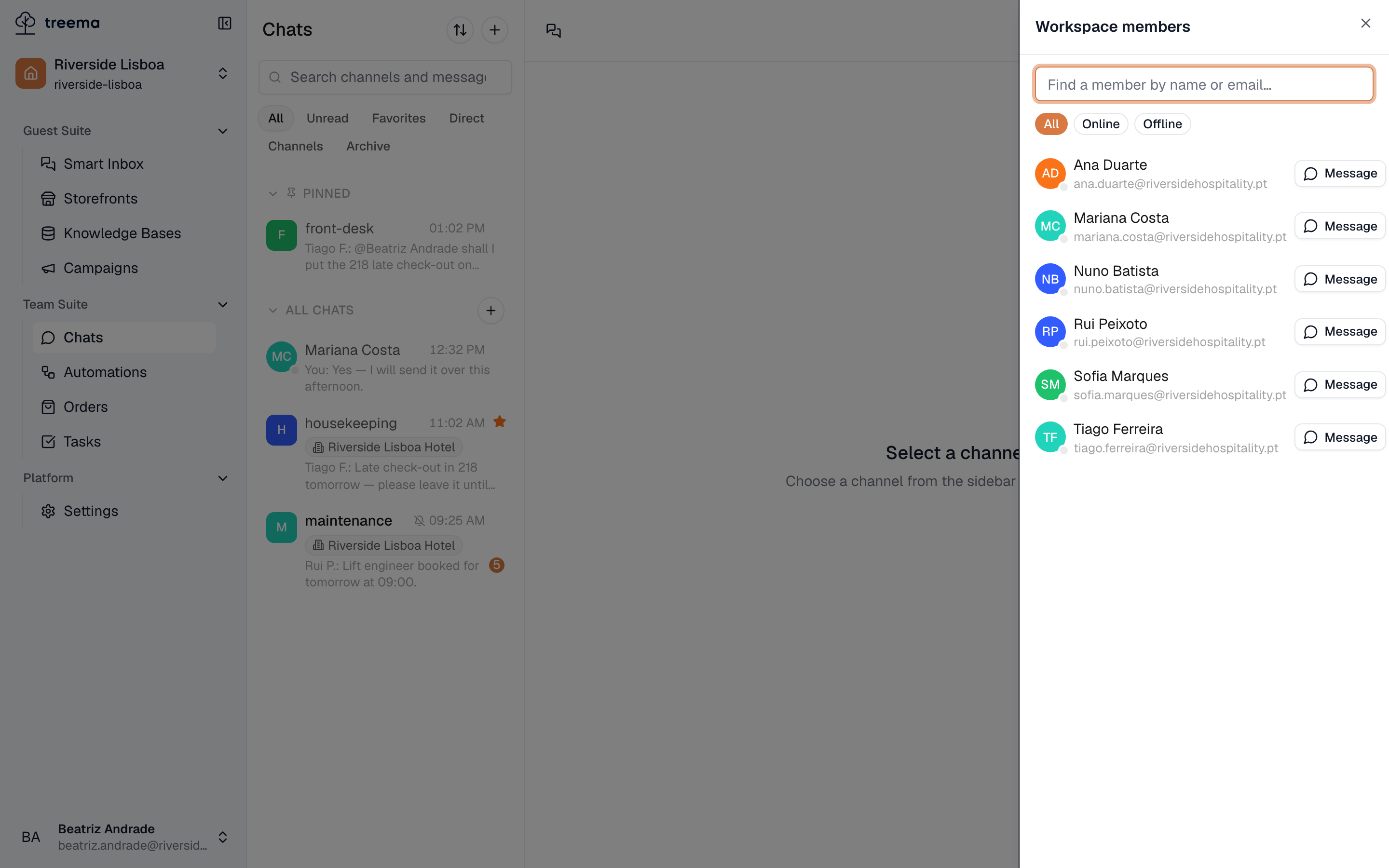
- 1
- Everyone in the workspace, and the button that opens a conversation with them
Search by name or email, then press Message. The conversation opens straight away and joins your list — for the other person it appears the moment you send something.
The three tabs above the list are All, Online and Offline. On a busy morning "who is actually at work right now" is a useful way to pick.
The dot beside a person
A small dot on someone's avatar says whether they are online. You see it in the member list, on the direct-message rows in your conversation list, and beside the person's name at the top of an open direct message, where it is spelled out in words: Online, Offline, or Last seen with the time.
The status shows whether a user is currently in Treema HQ, but it does not guarantee how quickly they will reply. "Offline" means the user is not active in the app at the moment; it does not necessarily mean they are away from work or unable to answer later. If something has to be done or tracked, it is better to create a task or write in a channel, so the information is available to everyone responsible.
How a direct message differs from a channel
Channel / Direct message:
- Who can read it: the channel's members, or — for a public channel — every user with access to its scope / only the two people in the direct message.
- Whether people can be added: yes, in the channel's settings / no, use a channel to discuss something with several people.
- Name, picture, description: can be set / the other person's name and avatar are used.
- Archiving and deleting: available / not available.
- Muting, favourites, pin to top: available / available.
Direct messages support the same message actions as channels: reactions, replies, threads, files, voice messages and pins.
A direct message is meant for two people. If a third person needs to join the discussion, create a channel. A direct message cannot be turned into a channel, and its message history cannot be moved. If the subject is a work task or a process, it is better to create a channel from the start, so that everyone involved can see the shared context of the discussion.
Notifications
Unless a direct message is muted, you will be notified of new messages in the app and on your phone. Direct messages are sent to you personally, so these notifications help you not to miss an important request. For more, see Notifications.