Answering your first guest
Find a waiting conversation, take it, reply, and leave it in a state the next shift can read.
Five minutes, one real guest. The point is to see a conversation travel from "somebody should answer this" to a state the next shift can read at a glance.
1. Open the inbox and look at Unassigned
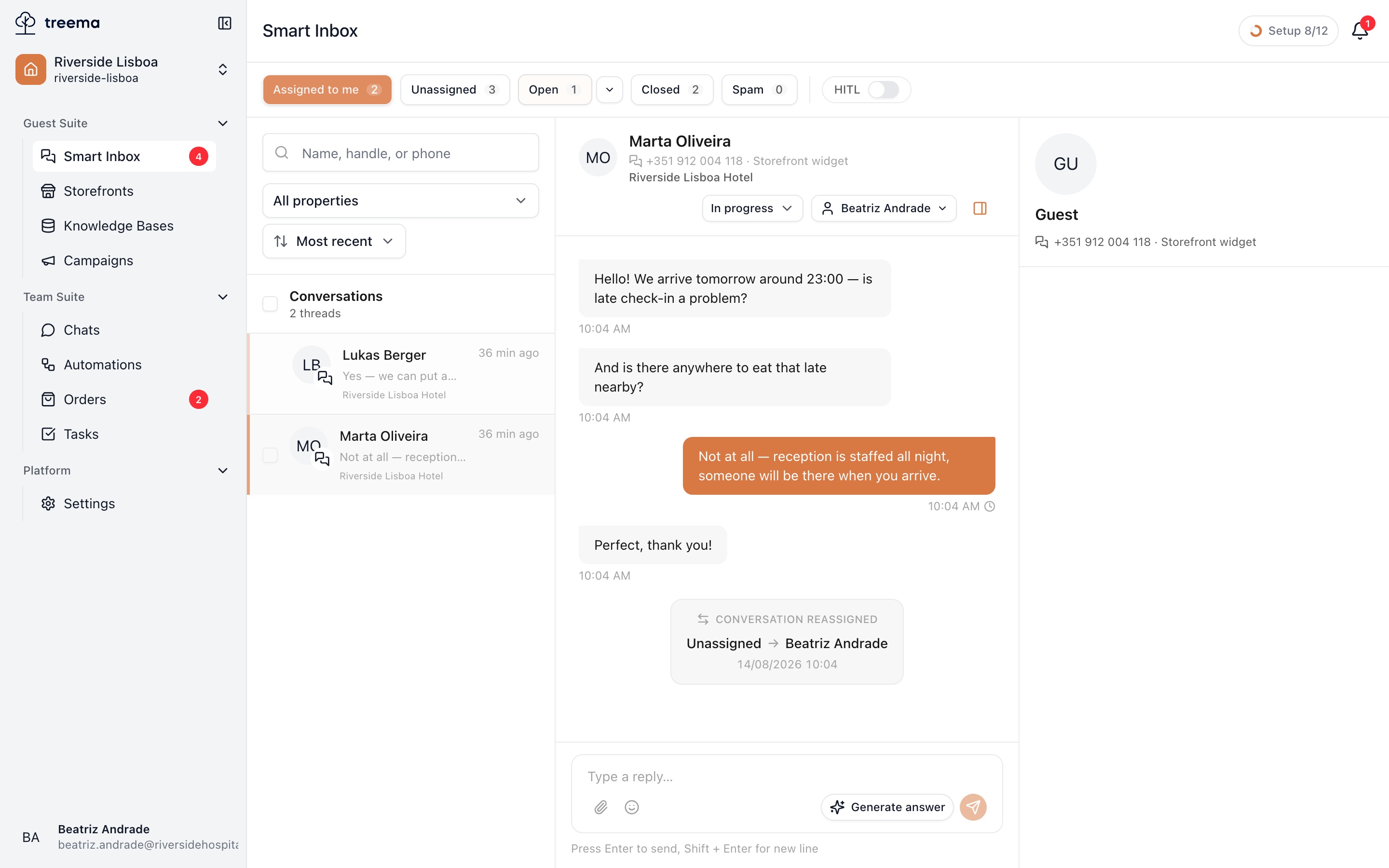
Smart Inbox in the sidebar. Across the top are the buckets; Unassigned is the one that matters at the start of a shift — those are guests nobody has taken.
- 1
- 2
- Start here: Unassigned is what nobody has picked up
- Pick a conversation to open it
Click a row. The conversation opens beside the list and is marked as read.
2. Take it
In the top-right corner of the conversation is a button showing who owns it — Unassigned until somebody does. Open it and choose Assign to me.
Do this before you write, not after. It is what stops two people answering the same guest, and it tells the assistant to stop replying on its own — see What the assistant does.
3. Read before you answer
Scroll up. The whole history with this guest is here, on every visit they've made, and it usually answers the question you were about to ask them. What was promised, what went wrong last time, what room they were in.
The panel on the right shows the contact behind the conversation — what they wrote from, and through which channel.
4. Reply
Write in the box at the bottom and send. The message appears immediately with a small tick that becomes two when it reaches the guest's device.
You can attach photographs and documents with the paperclip — a scan of an invoice, a picture of the route to the spa.
If the last message is the guest's, the composer also offers Generate answer: the assistant writes a draft you can approve, edit or throw away. It never sends by itself — the assistant page covers what it does with it.
5. Leave it in a readable state
Before you move on, set the status in the header:
- In progress — you're on it.
- Waiting — you've answered and the ball is in the guest's court, or somebody else's.
- Closed — done.
A conversation left as New two hours after somebody answered it is how work gets done twice.
Closed isn't goodbye
When the guest writes again, the conversation comes back with their new message. Closing is not archiving them away, it's saying "there is nothing outstanding here" — so close freely.
Where to go from here
- Finding the right conversation — buckets, search and filters for a busy queue.
- Who is handling it — handing a conversation over with a note.
- From a conversation to a task — when the answer is work, not words.